My part
Contributed to the configurable web editor, device and widget previews, and layout synchronization between the local hub and ESP32-S3 firmware as part of the project.
Connected desk display / Ferced Labs
I contributed to a connected desktop display project with a configurable web editor, widget previews and layout synchronization between local software and embedded firmware.
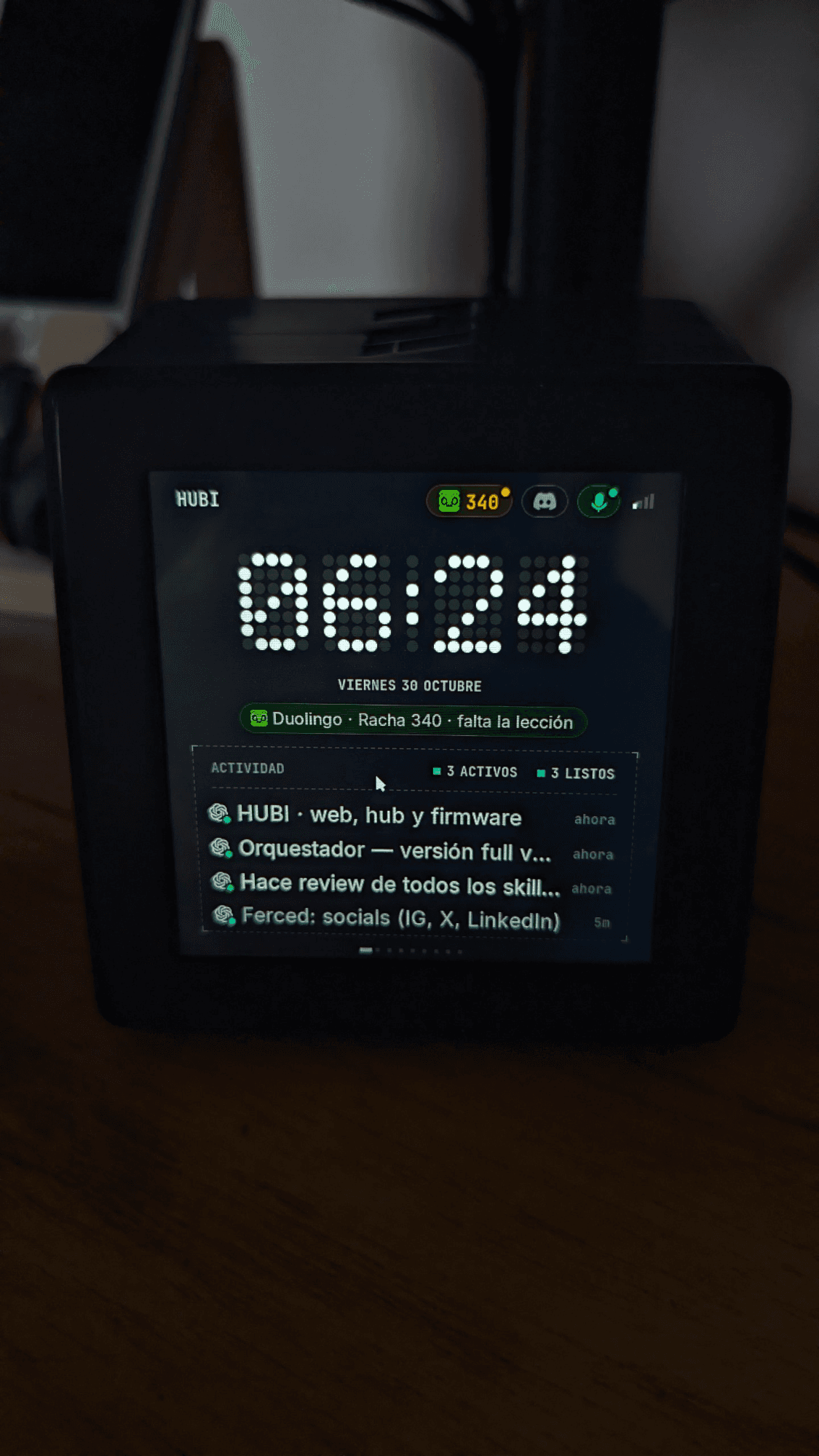
Contributed to the configurable web editor, device and widget previews, and layout synchronization between the local hub and ESP32-S3 firmware as part of the project.
Keep a 480 by 480 touchscreen useful while connections, configuration and screen editing live on the computer. A saved setting, a service connection and a device acknowledgement need distinct states.
Original device photo and a recorded demonstration supplied by Franco, plus the public product site and screen-editor demo. The public web demo uses example data and identifies integrations still in testing.
HUBI puts the clock, reminders, focus, shortcuts and connected-service information beside the computer. The product work is deciding what deserves space on a small display and what belongs in the hub.
The ESP32-S3 runs the touchscreen interface. A local Bun/TypeScript service gathers source state and communicates with the device over WebSocket. Wi-Fi setup, reconnection and OTA updates are part of the same integration surface.
The hub brings screen editing, the widget library, connections and device state into one interface. A draft, a saved configuration and an acknowledgement by the physical device remain different states.
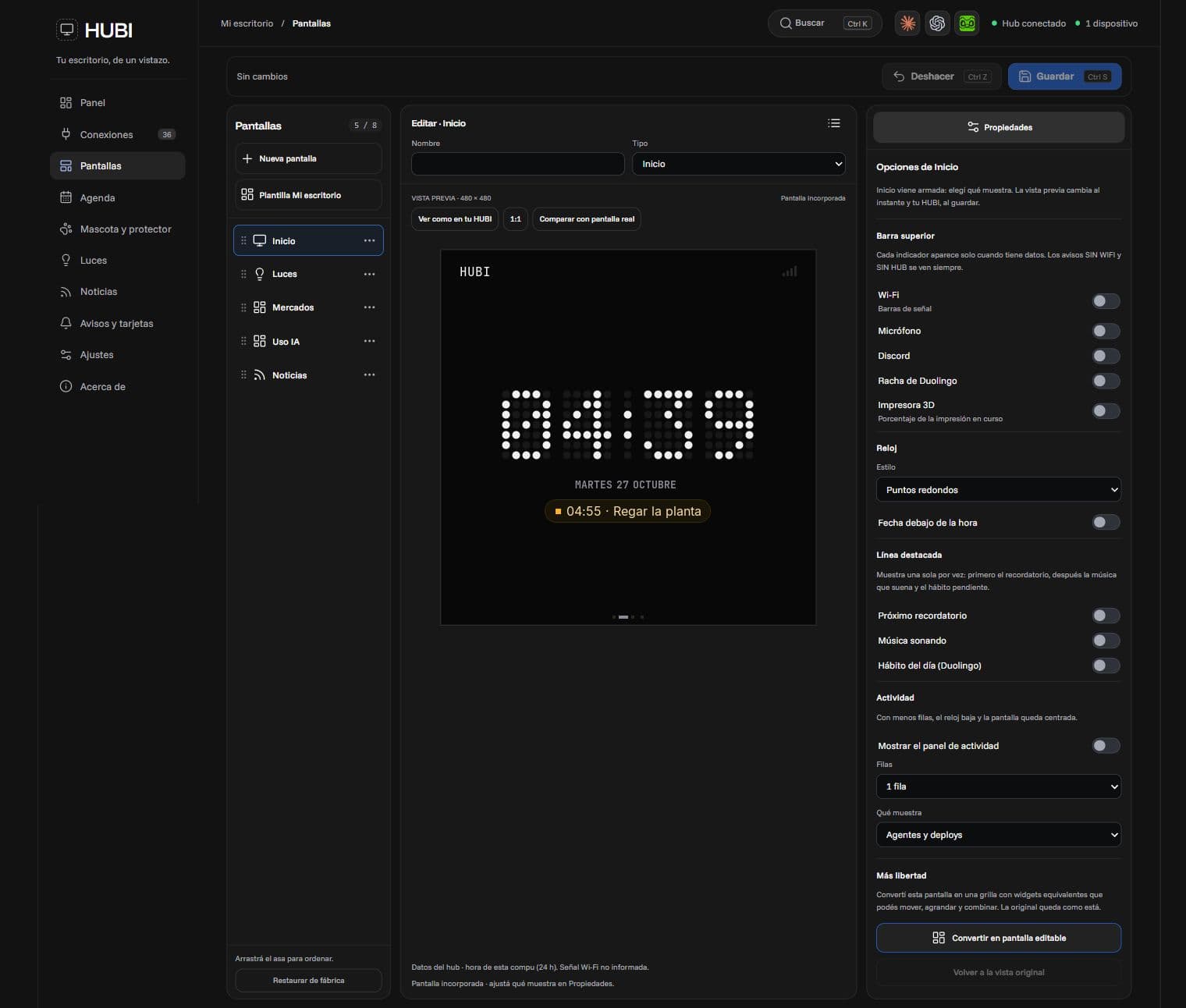
The bilingual site combines an interactive device tour, screen-editor demo, material choices and connection details. It explains the computer and network requirements before someone follows the reservation link.
The photo and recorded excerpt show the physical device in use at the time of capture. The public tour and editor use example data. Connections marked as in testing still need real validation; the recording does not establish compatibility with every account or device.